How Claude Code is built
👋 Hi, this is Gergely with a subscriber-only issue of the Pragmatic Engineer Newsletter. In every issue, I cover challenges at Big Tech and startups through the lens of engineering managers and senior engineers. If you’ve been forwarded this email, you can subscribe here. How Claude Code is builtA rare look into how the new, popular dev tool is built, and what it might mean for the future of software building with AI. Exclusive.
Claude Code has taken the developer world by storm since being made generally available in May. The tool is currently generating more than $500M in annual run-rate revenue, and usage has exploded by more than 10x in the three months since that May release. I recently sat down with two of the founding engineers behind Claude Code: Boris Cherny (the engineer who came up with the original prototype, and the founding engineer of the project), Sid Bidasaria (engineer #2 of Claude Code, and creator of Claude Code subagents), and founding product manager Cat Wu. I learned how Claude Code is built, and got insights into how a successful “AI-first engineering team” operates; it was a bit like a peek into a crystal ball and a potential future of how fast-moving startups will operate. The good news is that software engineers appear very much in demand in it… Today, we cover:
Other, related deepdives from the real-world engineering challenges series: The bottom of this article could be cut off in some email clients. Read the full article uninterrupted, online. 1. How it all beganBoris Cherny joined Anthropic in September 2024, and began building a bunch of different prototypes with the Claude 3.6 model. At the time, he wanted to get more familiar with Anthropic’s public API. Boris recalls that period:
Meanwhile, Cat Wu was researching the computer usage of AI agents, and new capabilities that arose from agents using them. Following a conversation with Cat, Boris had the idea to give the terminal more capabilities than just using AppleScript. He says:
Product-market fitBoris started to use his prototype every day at work. He then shared it with what would become the core Claude Code team, and fellow devs started to use it daily, too. Boris and the Claude Code team released a dogfooding-ready version in November 2024 – two months after the first prototype. On the first day, around 20% of the Engineering team used it, and by day five, 50% of Engineering was using Claude Code. At that point, Boris felt pretty confident Claude Code could be a hit in the outside world. But there was internal debate about whether to even release the tool, or to keep it for internal use. Boris recounts:
Assembling the Claude Code engineering teamInitially, the team was just Boris until in November, Sid Bidasaria joined Anthropic and came across the early version of Claude Code. He liked the idea and joined Boris on the project. There was a lot of freedom in how their two-person team worked. Sid told me:
The team grew to around 10 engineers by July, and hiring has continued since. Today, it’s a full-fledged product team with engineers, Product Management, Design, and Data Science folks – and they’re still hiring. Claude Code not only for codersToday, more than 80% of Anthropic’s engineers who write code use Claude Code day-to-day, but it’s not only them. Boris:
An interesting point is that Boris only ever had software engineers in mind for Claude Code – hence the name! – but the product has shown it has further utility in other areas. More engineering output while doubling team sizeIf we take the metric of pull requests per engineer; when an engineering team doubles in size quickly this process usually pulls down the metric. This is because existing engineers spend more time onboarding new colleagues and less time coding, and new joiners need to get the hang of things at first. Like any metric, pull requests (PR) per engineer are not a perfect metric, but it does give a sense of the pace of iteration. PR throughput is measured by companies including GitHub, Dropbox, Monzo, Adyen, and others. But Anthropic saw a 67% increase in PR throughput as their team size doubled – thanks to Claude Code. It would have been normal for the average-PRs-merged metric to drop, but it actually went up! The credit for this is given to Claude Code: engineers get PRs done faster with it. In what might have been a lucky constellation of events, Anthropic doubled its engineering headcount at around the time that Claude Code was adopted across all of engineering. I’ve also noticed that finishing a piece of work with Claude Code is considerably faster, and that I make better progress on my coding tasks with the tool. It also helps when I build stuff for which Claude Code can verify the correctness of the code, by running the program and checking outputs or running tests. 2. Tech stack and architectureClaude Code’s tech stack:
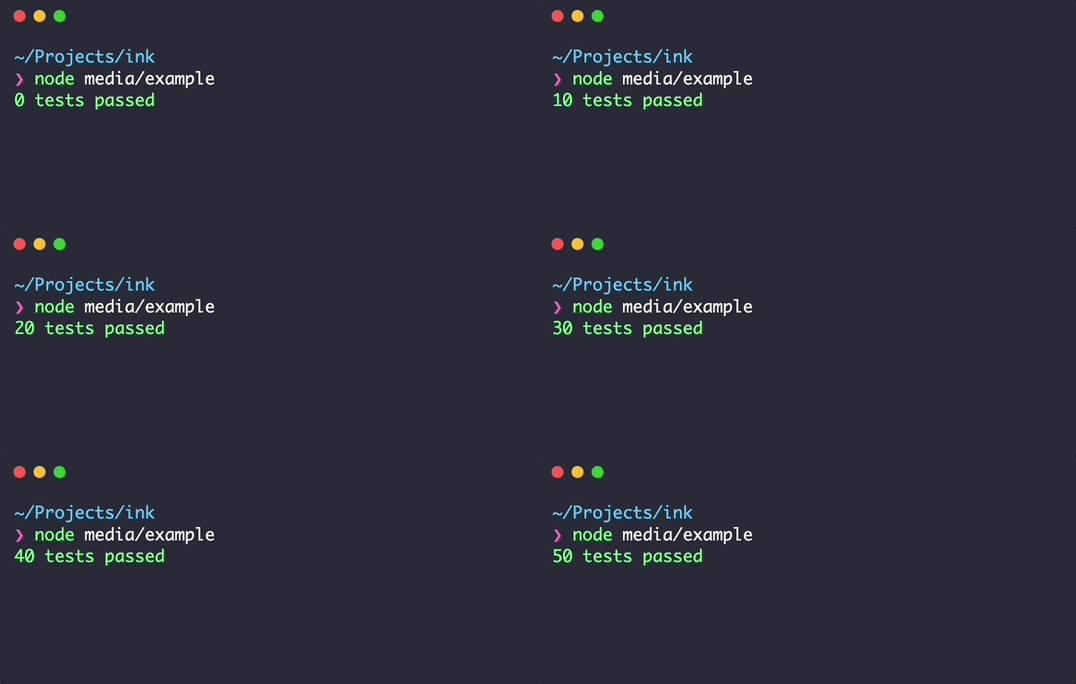
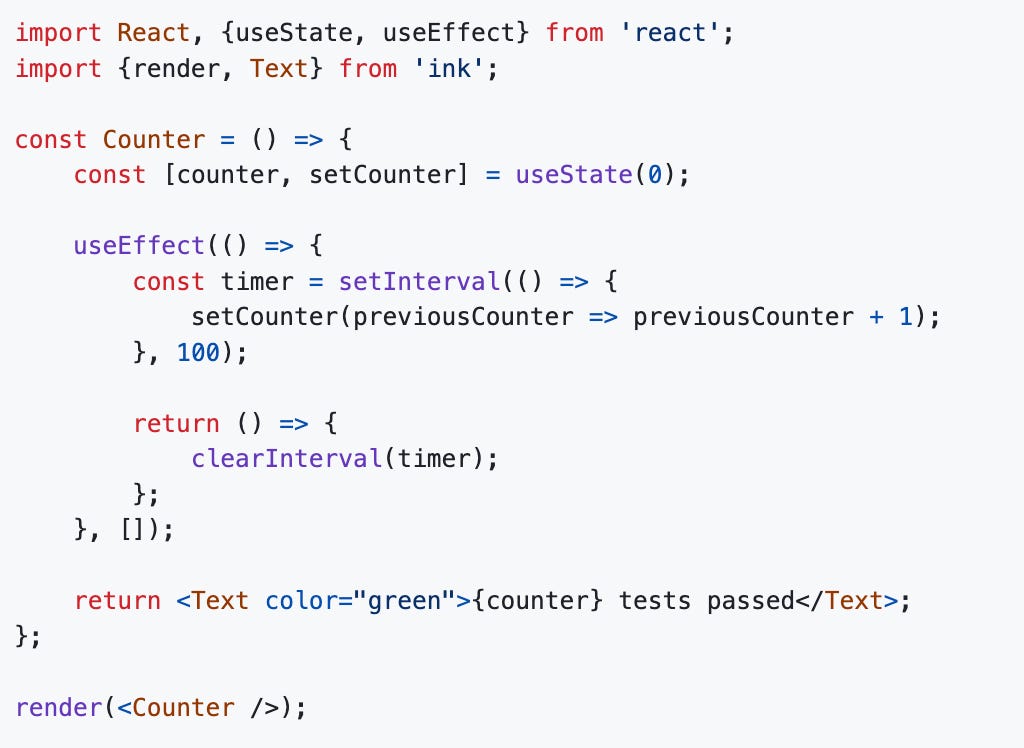
The Ink framework is a neat component that allows for creating pleasant-looking UIs in the terminal. For example, to create this UI:
You can write the code in React:
npm is used for distributing Claude Code. It’s the most popular package manager in the Node ecosystem. To get started with Claude Code, you need to have Node 18-or-above installed, then run: npm install -g @anthropic-ai/claude-code Once that’s done, you can start the tool with the Claude command. The tech stack was chosen to be “on distribution” for the Claude model. In AI, there are the terms “on distribution” and “off distribution.” “On distribution” means the model already knows how to do it, and “off distribution” means it’s not good at it. The team wanted an “on distribution” tech stack for Claude that it was already good at. TypeScript and React are two technologies the model is very capable with, so were a logical choice. However, if the team had chosen a more exotic stack Claude isn’t that great with, then it would be an “off distribution” stack. Boris sums it up:
Architecture: choose the simplest optionInterestingly, there’s not all that much to Claude Code in terms of modules, components, and complex business logic on the client side. For a tool that does pretty complex things like traversing filesystems and codebases, this is somewhat surprising! But Claude Code is just a lightweight shell on top of the Claude model. This is because the model does almost all of the work:
The Claude Code team tries to write as little business logic as possible. Boris tells me:
Claude Code does not use virtualization – it runs locally. A major design decision was whether to run Claude Code in a virtual machine – like on a Docker container, or in the cloud – and thereby create a sandbox environment. But the team decided to go with a version that runs locally because: simplicity! From Boris:
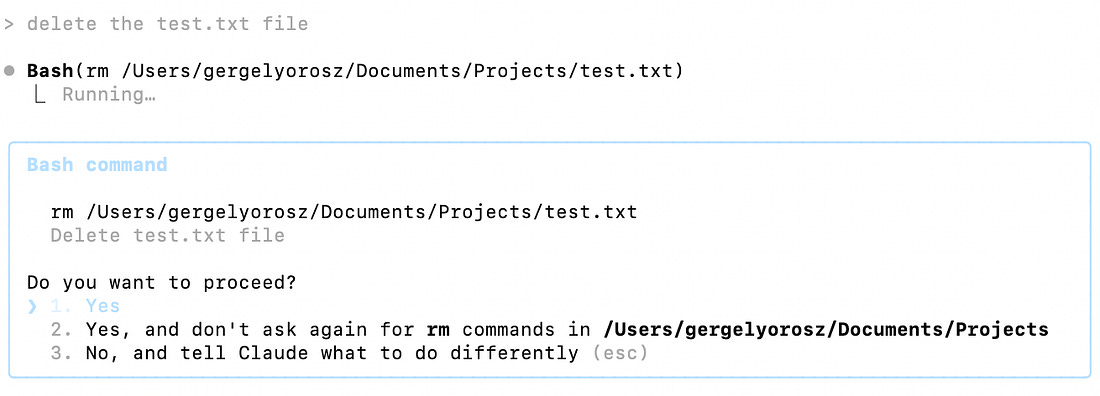
The permissions systemThe most complex part of Claude Code is the permissions system. The risk of running Claude Code locally is that an agent may do irreversible things that it shouldn’t, such as deleting files. But how can this be done securely? Again, the team has opted for simplicity and built a permissions system that seeks permission before executing an action. The user can then decide to:
Boris tells me that getting permissions right took effort:
Other featuresClaude Code is simple in some ways, but has dozens of features which add to its complexity. Several are documented. Some to note:
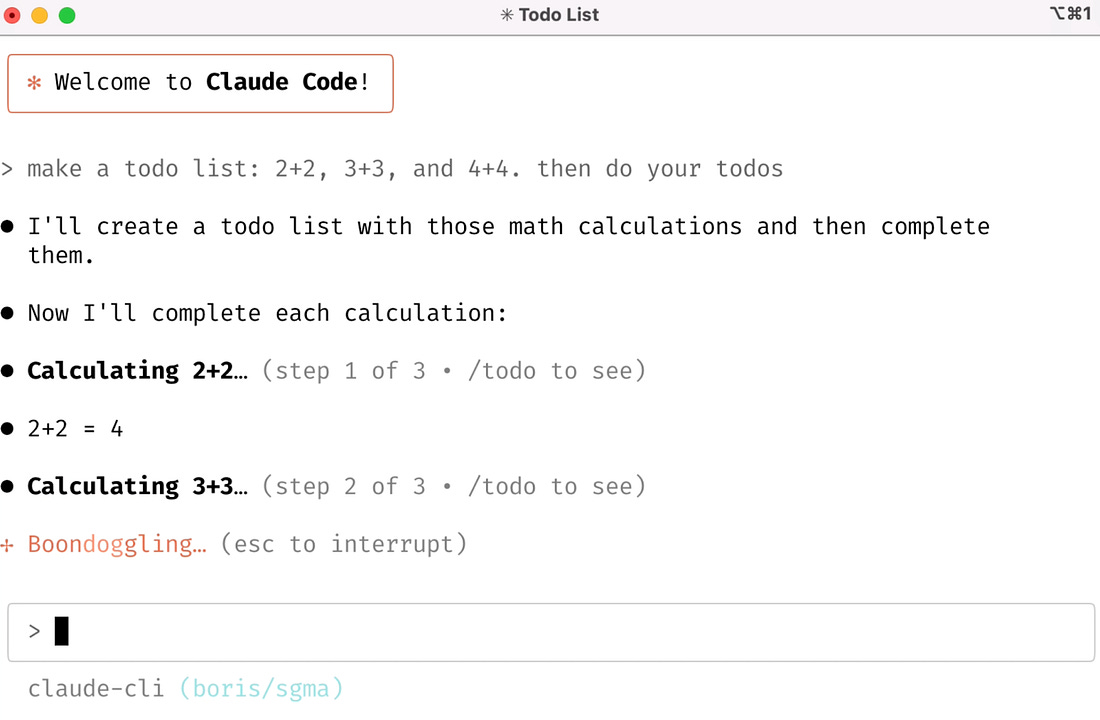
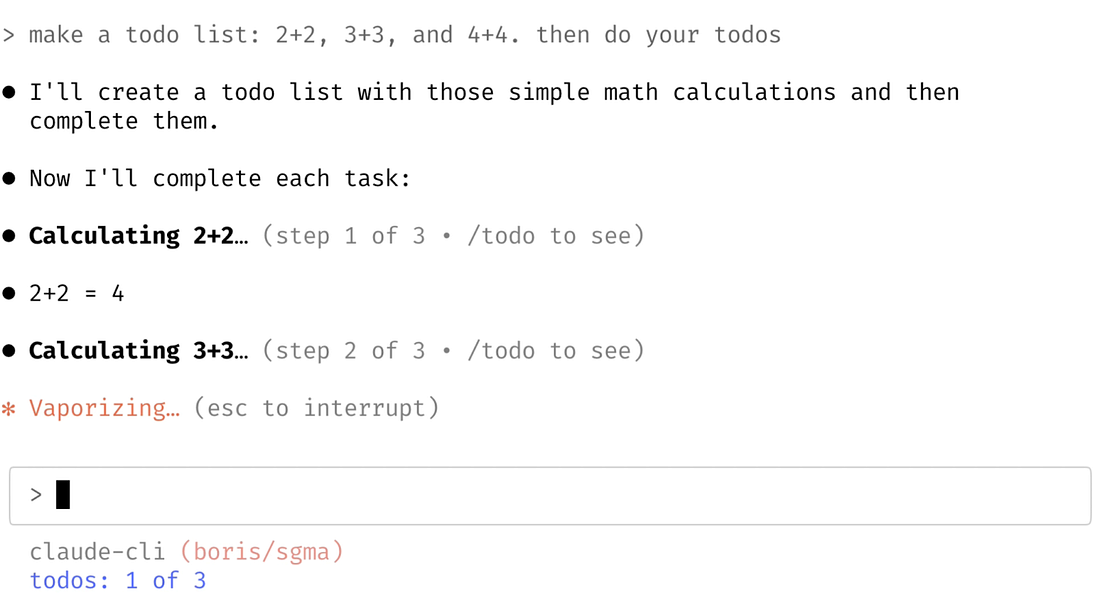
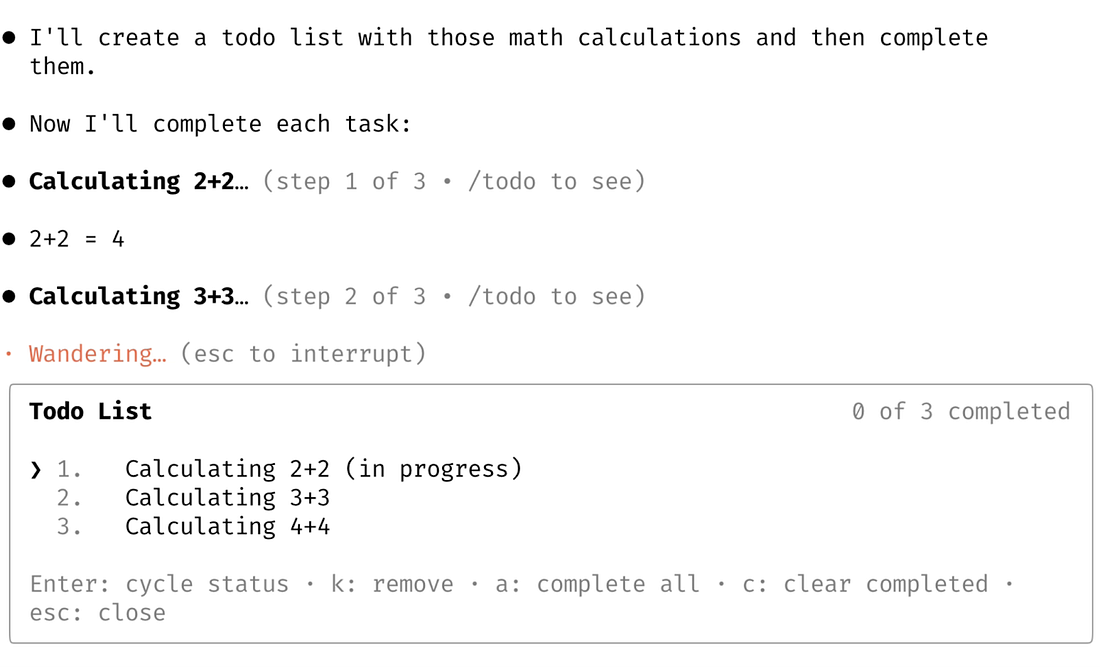
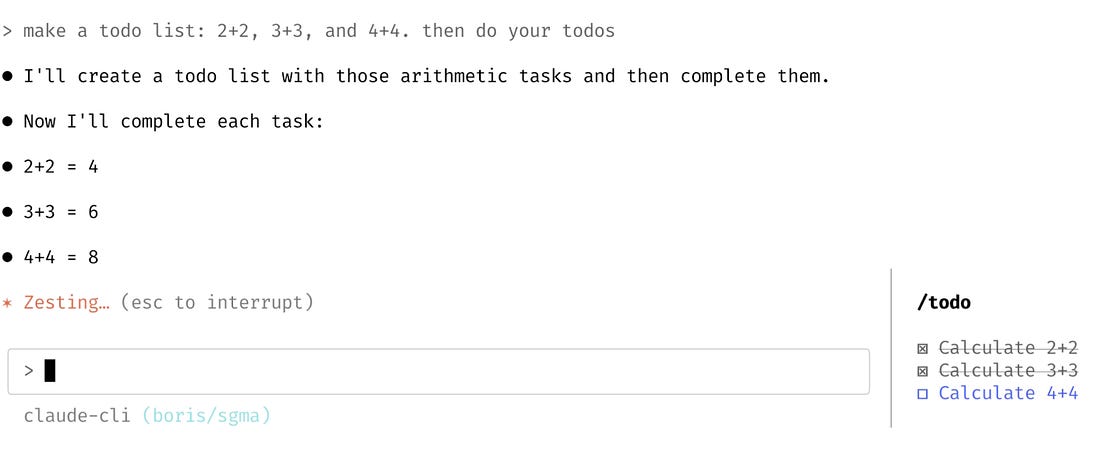
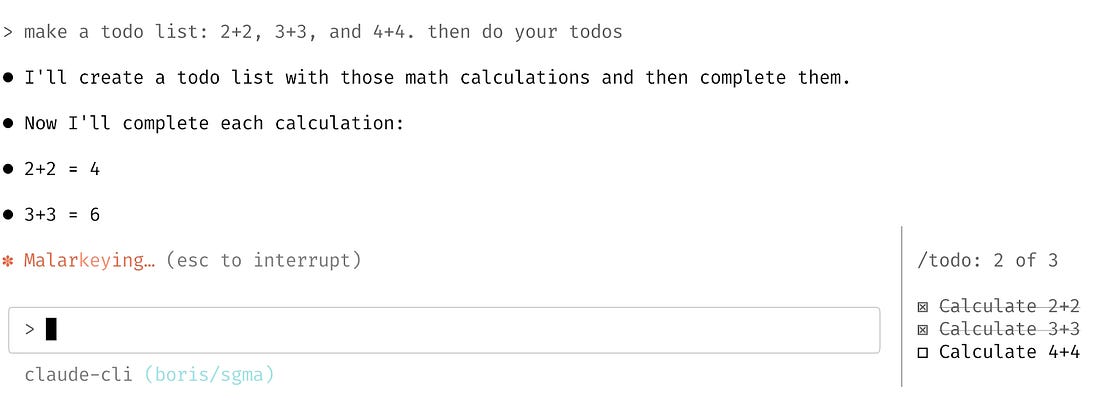
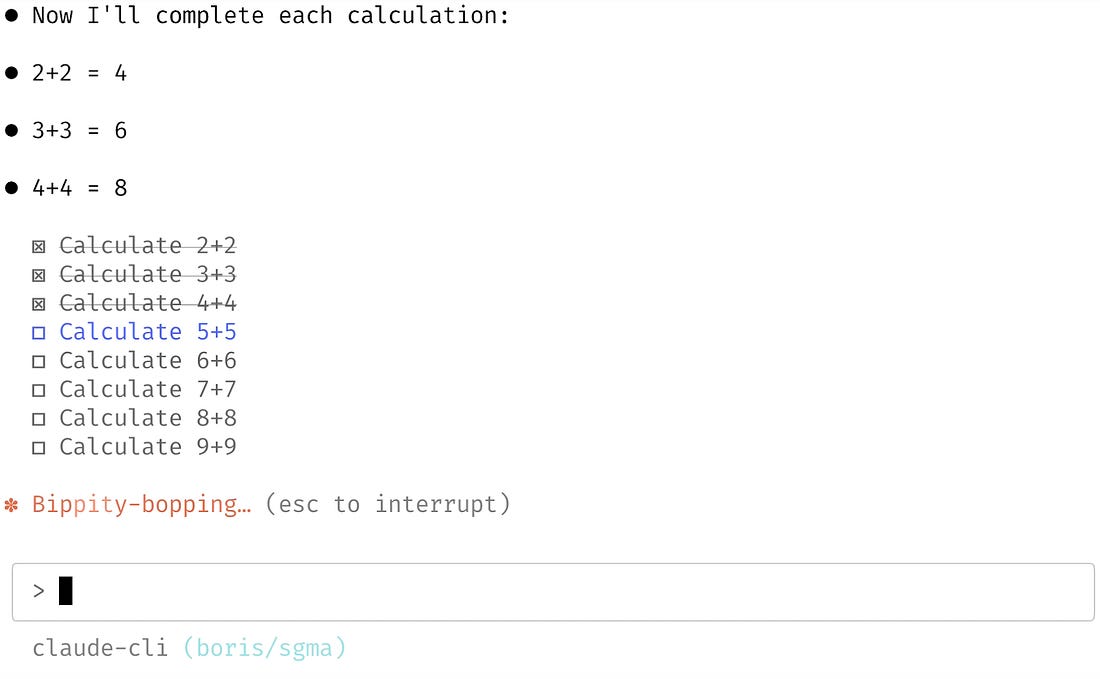
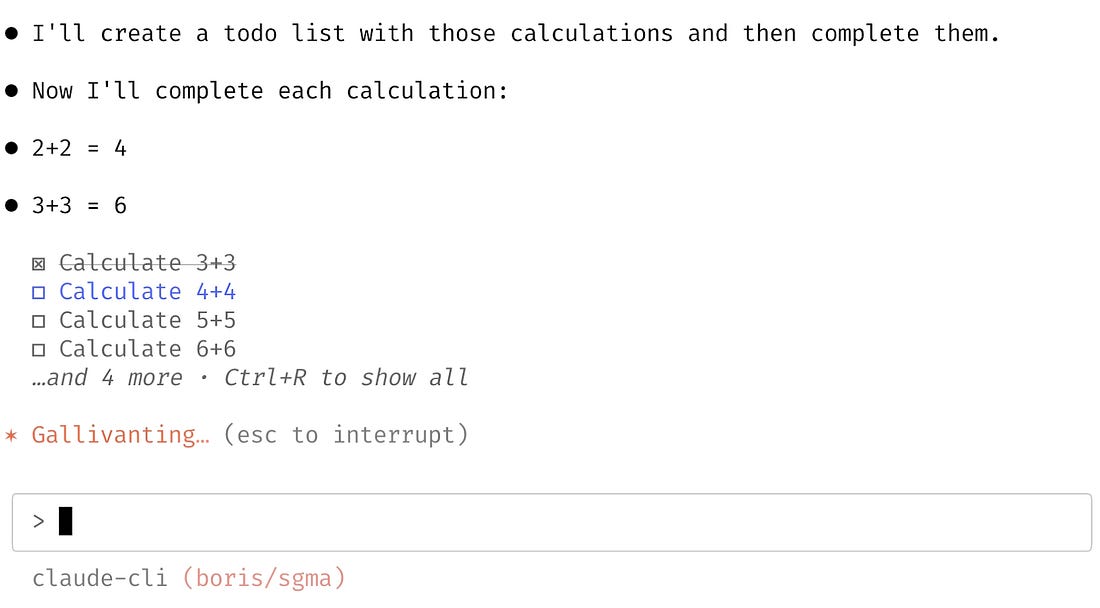
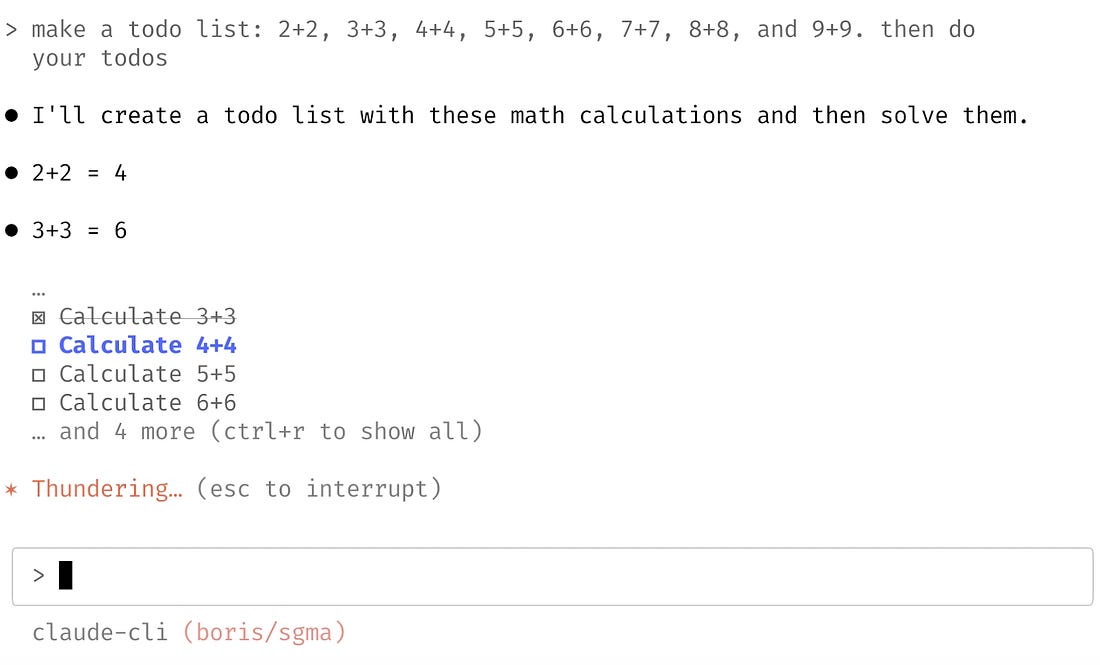
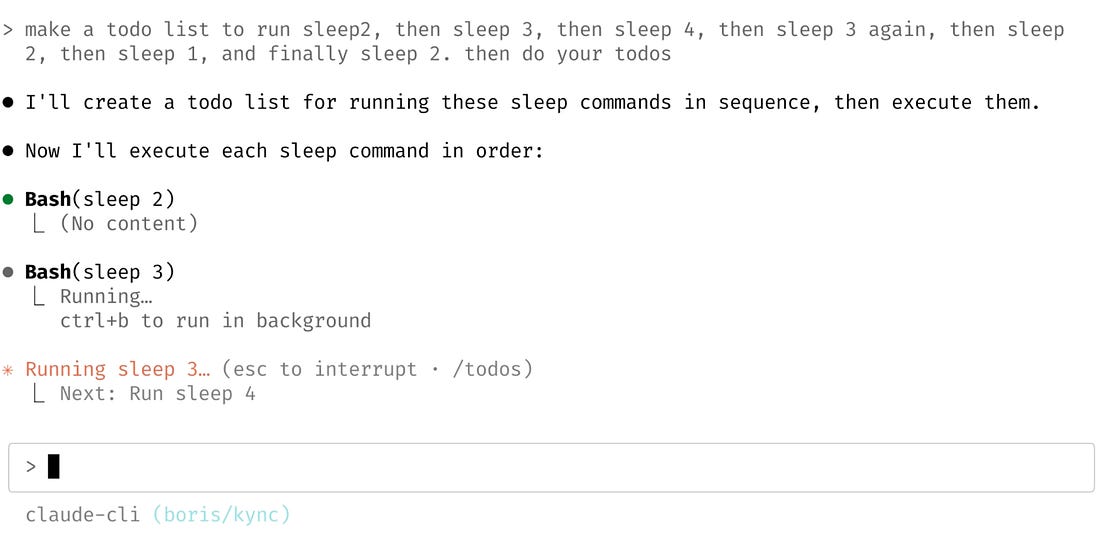
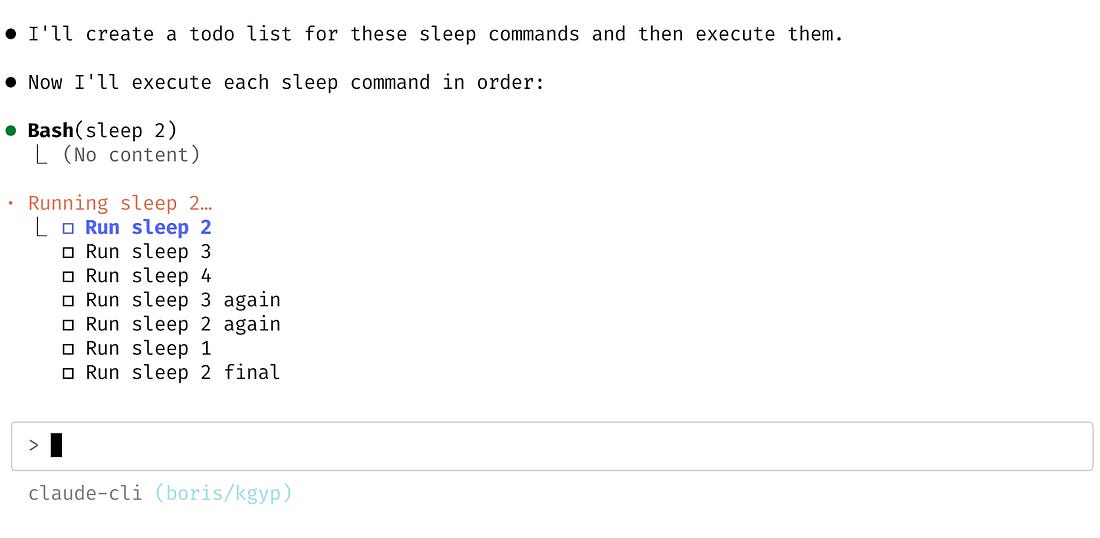
3. Building and shipping features in days, not weeksFor a team of around a dozen engineers, they work really fast: ~60-100 internal releases/day. Any time an engineer makes a change to Claude Code, they release a new npm package internally. Everyone at Anthropic uses the internal version and the dev team gets rapid feedback. Over the summer, engineers pushed around 5 pull requests per day – a much faster pace than at most tech companies where 1-2 pull requests per day are often the norm. 1 external release/day. Almost every day, a new version of the package is released as part of a deployment. 20 prototypes in 2 days: building todo listsWhat surprises me about this development is that the team does a lot more prototyping with Claude Code than I’m used to seeing. As an example, Boris walked me through how he built around 20 prototypes of the new feature, todo lists, in a few hours over two days. He was kind enough to share the actual prompts he used for the various iterations. After each one, Boris:
Prototype #1: showing todos as they are completedIdea: todo lists are one of the easiest ways to keep track of how Claude is doing, so they tried having the list just below the most-recent tool call. Prompt:
How it looked:
Prototype #2: showing progress at the bottomAnother variation was showing each todo update in line. Prompt:
How it looked:
Prototypes #3 and #4: an “interactive pill”What if the todos were an interactive pill (a rectangle at the bottom of the console) that you could pull up to see progress on, just like background tasks? Prompts and outputs:
Prototypes #5 and #6: using a “drawer”What if we had a ‘drawer’ that slid in with the todos on the side? Prompts and outputs:
Prototypes #7, #8 and #9: experiments on visibilityTo make the todo list as visible as possible, Boris tried making it always show above the input. Prompts and outputs:
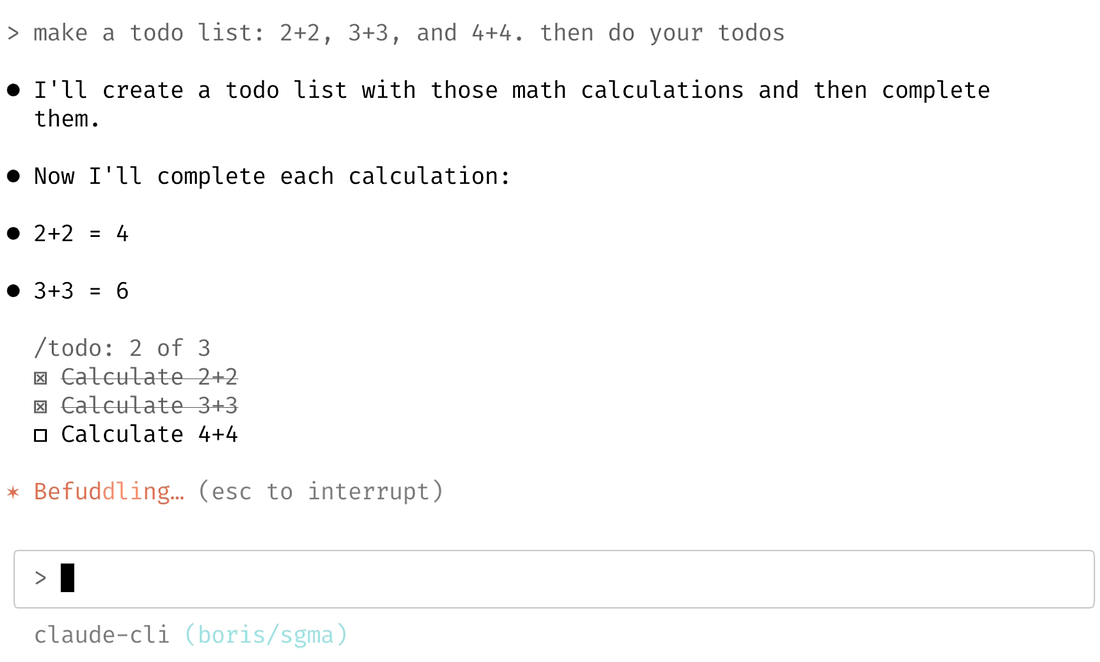
Prototypes #10-20: moving the spinner UI elementBoris kept playing with where the todo list visibility should live, and after several more prototypes. In the end, Boris moved the to-do lists to the spinner which maximized visibility, and started to feel good. After a few iterations, they had the version that they ended up shipping in public.
One more iterationThe team got a lot of feedback from the community that they wanted to be able to see all the todos. So the team added the ability to toggle them with CTRL + T. And this is what’s live today!
Building and testing 5-10 prototype ideas in a day is possible with AI agents. Prototyping used to be so time consuming that if there were two days to prototype, it was lucky to have two distinct prototypes built by the end. But now, agents can build prototypes very quickly, so tests of 5-10 prototypes per day are easily done, as the Claude Code team did. I don’t suggest everyone can build that many prototypes so quickly, but I think it’s sensible to forget about how long prototyping used to take: these tools change how fast prototyping can be! A lot of this prototyping was about making the UI “feel good:” You can see the animated prototypes in this thread. I suggest watching the videos of the prototype steps for a sense of how the feature evolved, and how Boris kept trying new ideas to narrow it down to how the todo list looks inside the tool today. 4. Redesigning the terminal UXClaude Code has a lot of fresh ideas from the team because this is the first time the terminal is really interactive, thanks to an LLM responding to each command. A few examples:... Subscribe to The Pragmatic Engineer to unlock the rest.Become a paying subscriber of The Pragmatic Engineer to get access to this post and other subscriber-only content. A subscription gets you:
|




Comments
Post a Comment